
Apex Alpha & Zeevou Integration
Know your occupancy. Make smarter offers. Grow your direct bookings.
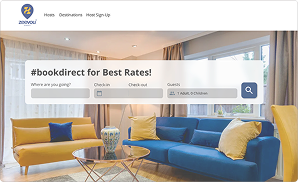
Apex Alpha is an AI and machine learning consultancy that builds custom, data-driven tools for hospitality businesses, helping hosts earn more per booking on their own direct booking website. Once you connect Zeevou, your reservation and property data is securely synced, giving Apex Alpha a clear view of how full your properties are. It combines this occupancy insight with real-time visitor behaviour on your site, so guests who are ready to book pay the full price, while only those about to leave receive a timely, targeted offer.
Why integrate Apex Alpha with Zeevou?
Automatic reservation syncing
Your bookings are synced from Zeevou every 30 minutes, so Apex Alpha always works from up-to-date reservation data without any manual exports or uploads. Connect Zeevou once and everything runs automatically.
Occupancy-aware offers
Apex Alpha looks at your next 60 days of bookings and blocked dates to see how full each property is. This helps it decide when an offer makes sense for a website visitor, and when it doesn’t.
Single-use voucher codes (optional)
Hosts can choose to enable single-use discount codes for individual visitors. Vouchers are created in Zeevou, so they work with your existing direct booking flow. This feature is off by default.
Live dashboard
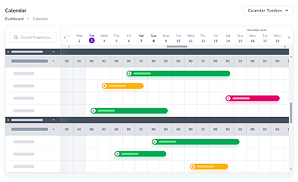
See what Apex Alpha has brought in on a live dashboard.
Monthly performance report
Once a month, Apex Alpha summarises your booking performance by property so you can see how your direct booking efforts are doing. It also prepares a monthly letter for each of your property owners.
Read-only access to your core data
Apex Alpha does not make changes to your bookings, properties or rates. It also follows Zeevou’s API rate limits, so the integration won’t slow down your account.
How to connect to Apex Alpha
Follow these steps to connect your Zeevou account to Apex Alpha:
- Go to Integrations in Zeevou.
- Open Apex Alpha.
- Click Visit ApexAlpha Website.
- A new tab opens. Log in to your Apex Alpha account.
- If you have more than one site, select the desired site from the top bar.
- From the left menu, navigate to Integrations.
- Locate the Zeevou card and click Connect Zeevou.
- In the pop-up dialog, paste the Client ID and Client Secret of your Zeevou app and click Connect
- Log in to your Zeevou account and review the requested permissions, then click Allow access (or approve) to authorize ApexAlpha.
- Once redirected back to ApexAlpha, you will see the confirmation message: “Zeevou is connected. The Zeevou card will now display Connected, along with the last sync time and a Sync now button.
Once connected, Apex Alpha can access your bookings, properties, channels and blocked dates. If you enable vouchers, it can also create promotions and single-use voucher codes. The connection uses OAuth authorisation to securely link your accounts.
How your data is used
The first sync looks back over the previous 30 days of reservations. After that, Apex Alpha only fetches bookings that have changed since the last sync, and refreshes your 60-day occupancy outlook when it is needed for an offer. Apex Alpha does not use webhooks and does not poll individual bookings.
Turn your booking data into more direct bookings
By connecting Zeevou with Apex Alpha, property managers can base their direct-booking offers on real occupancy rather than guesswork, without extra data entry.
Website
Category
Connection
OAuth 2.0
Get Started