
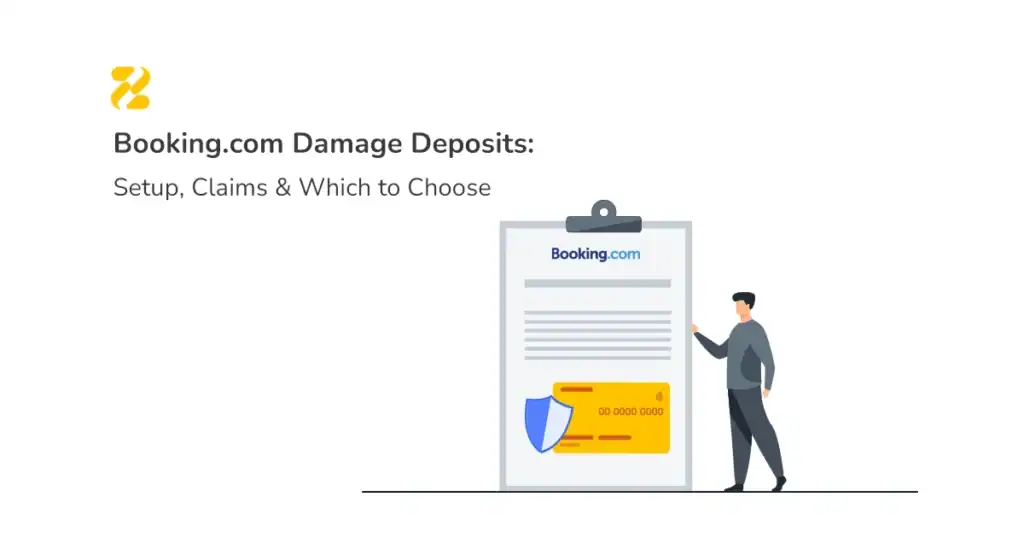
Quick answer: Protecting your property from guest damage on Booking.com isn’t one single feature, it’s a choice between two separate mechanisms: a self-managed damage deposit you collect and refund yourself, or Booking.com’s facilitated damage programme, where nothing is collected upfront and you file a claim after checkout instead. Each is configured in a different place in your Extranet, sits alongside the background checks and fraud screening Booking.com already runs on every booking, and comes with different trade-offs. This guide walks through exactly how to set up each one, what evidence a successful claim needs, and which option actually fits your property.
A damage deposit is not the same thing as a prepayment or a card pre-authorisation, and mixing them up is where most hosts go wrong. If you’re not sure which is which, our guide to Booking.com security deposits, prepayments, and pre-authorisations covers the differences. Otherwise, read on for how to set up and claim the damage deposit itself. For the bigger picture across every channel you list on, see our OTA payments, deposits & fees guide – Booking.com, Airbnb and Expedia side by side. Otherwise, read on for how to set up and claim the damage deposit itself.

Table of Contents
In this guide
- Self-Managed Deposit vs Damage Programme: Which Should You Use?
- How to Set Up a Self-Managed Damage Deposit on Booking.com
- How to Enrol in and Claim Through Booking.com’s Damage Programme
- What Evidence You Need to Win a Damage Claim
- Common Setup Mistakes
- How to Automate Damage Deposits Across Multiple Properties
- FAQs
Self-Managed Deposit vs Damage Programme: Which Should You Use?
Booking.com doesn’t force you into one method. You choose per property whether to run a self-managed deposit or enrol in the damage programme instead.
| Self-managed deposit | Damage programme | |
| Who collects money upfront | You | Nobody |
| Where it’s set | Extranet → Property → Policies | Extranet → Damage programme enrolment |
| Claim window | Set by you, at checkout | Commonly around 14 days from checkout |
| Who decides the payout | You | Booking.com – guest must agree |
| Typical ceiling | No platform-side cap | Reportedly capped in the region of €250 (or local currency equivalent) per claim |
| Best for | Higher-value or well-furnished properties | Hosts who want zero upfront friction for guests |
The rest of this guide sets up each one in turn.
Option 1: How to Set Up a Self-Managed Damage Deposit on Booking.com
This is the option where you’re fully in control, and fully responsible for collection, tracking, and refunds.
Step 1: Set your policy in the Extranet
Go to Extranet → Property → Policies → Damage deposit, and set:
- The deposit amount (scaled to your property’s furnishings and value – this varies widely, so base it on what you’d actually need to cover, not a round number)
- How the deposit is collected (cash on arrival, bank transfer, or a payment link you send directly)
- When it’s due (before check-in is standard)
This policy must display on your live listing before a guest books. Collecting a deposit the guest wasn’t shown upfront is one of the fastest ways to trigger a dispute.
Step 2: Check local deposit-holding rules
Some areas have specific requirements for how holiday-let deposits must be held. This varies by location, so it’s worth confirming what applies to you before collecting deposits at scale.
Step 3: Document the property before every stay
Before check-in, photograph or video every room, focusing on anything expensive or easily damaged. This is your evidence baseline. Pair it with a written, dated inventory the guest can review on arrival.
Step 4: Inspect and refund promptly after checkout
Inspect the property as soon as possible after checkout. If there’s no damage, refund the full deposit quickly – delayed refunds are one of the most common sources of negative reviews, even when the stay itself went fine. If you do find damage, you’ll need before/after photos and, ideally, a repair invoice or quote to justify any deduction.

Option 2: How to Enrol in and Claim Through Booking.com’s Damage Programme
The damage programme removes the upfront ask entirely, which can help conversion, but it shifts the burden to a post-checkout claims process.
Step 1: Enrol and set your maximum claimable amount
In the Extranet, opt into the damage programme and set the maximum amount you could claim per booking. This is a ceiling, not a guaranteed payout, Booking.com pursues the guest for the amount you claim, up to that ceiling and up to the programme’s own claim limit, and the guest still has to agree before any money moves.
Step 2: Inspect immediately after checkout
Because your claim window is short – Booking.com’s own damage policy gives partners up to 14 days after checkout to request a damage fee – inspect the property the same day guests leave wherever possible. Waiting even a few days can mean missing the window entirely.
Step 3: File the claim with full evidence
Submit your claim through the Extranet with:
- A clear description of the damage
- Timestamped before-and-after photos (the “before” photos matter as much as the “after” ones)
- A repair quote, invoice, or receipt showing the cost
Step 4: Wait for the guest response and a payout, if they agree
Booking.com contacts the guest and asks them to pay. If they accept, the amount is added to a future payout; if they deny responsibility or don’t respond, the claim typically doesn’t proceed to payment. Build this into your expectations: the damage programme is genuinely hands-off, but compensation isn’t guaranteed the way it is with a deposit you’re already holding.
What Evidence You Need to Win a Damage Claim
Across every option, the pattern is the same: claims succeed on evidence, not on how strongly worded your report is. Before you need it, have in place:
- Dated photos or video of every room before each check-in
- A written inventory the guest can see
- A habit of inspecting the same day as checkout, not “whenever you get to it”
- Repair quotes or invoices, not just an estimate in your head
- A record of any guest communication about the damage
Hosts who keep this evidence as routine, rather than scrambling for it after something breaks, consistently have an easier time with both self-managed deductions and platform-mediated claims.
Common Setup Mistakes
- Treating a pre-authorisation as damage cover. A pre-auth only confirms a card is valid, it can’t be claimed against for damage. Our guide to how pre-authorisations differ from real deposits explains why.
- Not disclosing the deposit policy on the live listing. An undisclosed deposit invites disputes it doesn’t need to have.
- Missing the damage programme’s claim window because inspection happens days after checkout instead of the same day.
- Refunding deposits late, which generates poor reviews even when the stay itself went fine.
- Running one deposit policy on Booking.com and a different one on other channels. Guests comparing your listings will notice, and the inconsistency itself becomes a source of complaints.
How to Automate Damage Deposits Across Multiple Properties
For a single property, tracking one deposit at a time is manageable by hand. Once you’re running several properties, the same manual process tends to break down in predictable ways: deposits requested inconsistently, refunds delayed because nobody’s tracking which ones are still open, and staff time spent chasing payments instead of running the property.
This is typically the point where hosts stop handling deposits as a separate manual task and fold them into their check-in workflow instead, so the same policy applies whether a booking came from Booking.com, another OTA, or their own site – no one channel ends up better protected than another just because a human remembered to chase it. A property management system that can pre-authorise or collect the deposit automatically at check-in, and release it on schedule, is usually how hosts get there.
FAQs
Do I have to pick one and stick with it across all my properties?
No. Plenty of hosts run a self-managed deposit on higher-value properties and the damage programme on others, the choice is made per property in the Extranet, not once for your whole account.
How long do I have to file a damage programme claim?
Booking.com’s damage programme generally requires claims to be filed within a short window after checkout – commonly cited around 14 days – so inspecting the same day guests leave is worth building into your checkout routine.
Is there a cap on what I can claim through the damage programme?
You set a maximum claimable amount when you enrol, but the programme itself has also been reported to cap payouts in the region of €250 (or the local currency equivalent) per claim. A self-managed deposit doesn’t have this platform-side ceiling, which is why higher-value properties often prefer it.
What happens if a guest refuses to pay through the damage programme?
If the guest denies responsibility or doesn’t respond, the claim typically doesn’t proceed to payment -there’s no automatic deduction the way there is with a self-managed deposit you’re already holding.
Can I change my deposit amount after a guest has already booked?
No, the policy shown at the time of booking is what applies to that reservation. Changes you make in the Extranet apply to future bookings only.
Image by pch.vector on Magnific.